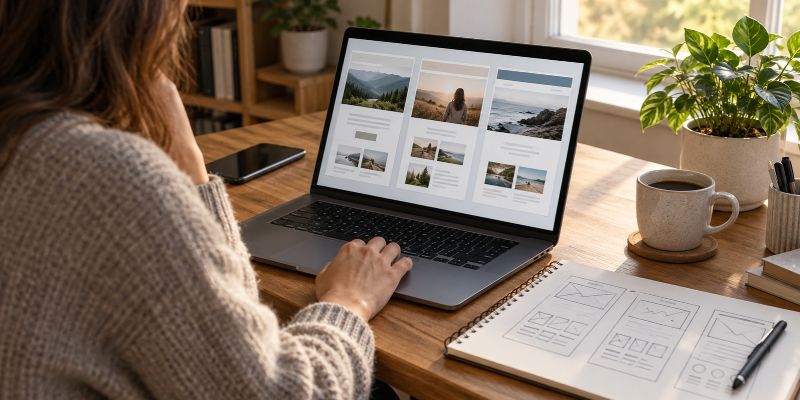
Choosing a website platform for a Christian website means finding the right balance between ease of use, cost, control, and room to grow. A simple website builder may be enough for some sites, while WordPress or another content management system may make more sense when you want greater control and flexibility. The best place to start is not with a particular brand, but with what you need the platform to let you do.
What Is a Website Platform?
A website platform is the software or system you use to build and manage your website.
It determines how you create pages, publish articles, change the design, add features, manage content, and maintain the site. Depending on the platform you choose, it may also determine where your website is hosted and how much control you have over the technical side of the site.
This is an important distinction because choosing a platform is not the same thing as choosing web hosting. Some platforms include hosting as part of the service. Others require you to arrange hosting separately.
At this stage, you are deciding what system you want to build the website with. Choosing the hosting company comes after that when your platform requires separate hosting.
Start With What You Need the Website to Do
You do not need the most powerful website platform available. You need one that can handle the website you actually intend to build.
A fairly simple Christian blog may primarily need articles, pages, categories, navigation, images, and a contact form. A church or ministry site might also need sermons, event information, staff pages, giving options, or other ministry resources. Another Christian website might eventually offer Bible studies, downloads, courses, memberships, or other specialized content.
Think beyond what you need on the first day without trying to predict every feature you might ever want.
If you expect the site to remain fairly simple, ease of use may matter more than having hundreds of customization options. If you are building something you hope to expand for years, the ability to add features and change direction becomes more important.
Understand the Main Types of Website Platforms
Most beginners will encounter a few broad approaches rather than one single type of website software.
An all-in-one website builder generally combines the website-building tools, hosting, templates, and much of the technical maintenance into one service. You create and manage the site through the company’s system. This can make getting started easier because fewer separate pieces have to be configured.
A content management system (CMS) gives you software for creating, organizing, and publishing website content. WordPress is the example most people are likely to encounter. Depending on which version or setup you use, you may have considerably more control over hosting, themes, plugins, and other parts of the site.
A custom-built website can give you much more control over how the site works, but it may require a developer or considerably more technical knowledge. Most people starting a straightforward Christian blog or content website do not need a completely custom site.
These approaches can overlap, and the terminology is not always used consistently. What matters is understanding what the particular platform handles for you and what you will be responsible for yourself.
Decide How Much Technical Work You Want to Handle
Ease of use matters, especially if this is your first website.
Some platforms are designed to hide most of the technical work. You choose a template, edit pages through a visual interface, and let the company take care of much of what happens behind the scenes.
Other platforms give you more control but also give you more responsibility.
That can mean learning how themes work, installing and updating additional software, dealing with backups and security, or occasionally troubleshooting something that stops working correctly.
Neither approach is automatically better.
If dealing with technical problems would keep you from actually working on the website, a simpler platform may be worth giving up some control. If you are willing to learn and want more freedom over how the site develops, accepting some additional responsibility can make sense.
Consider How Much Control You Want
Convenience and control often pull in opposite directions.
An all-in-one platform can make many decisions for you. That is part of what makes it convenient. The company controls the underlying system and decides which features, integrations, templates, and customization options are available.
A more flexible platform can let you make more of those decisions yourself.
That difference may not seem important when you are creating your first few pages. It can become much more important later if you want to add a feature your platform does not support or change something the platform does not allow you to change.
Before choosing, look at what you can control rather than simply how quickly you can get a basic site online.
Look at the Real Cost, Not Just the Starting Price
A free plan or inexpensive introductory offer can make a platform look cheaper than it really is.
Find out what you will need to pay for the website you actually intend to operate.
Depending on the platform, costs can include the platform subscription, hosting, premium templates or themes, plugins or extensions, additional storage, email, ecommerce features, or other upgrades.
Free plans can still be useful for experimenting with a platform, but pay attention to their restrictions. Some may limit the use of your own domain, display platform branding, restrict features, or make other compromises that you would not want on the finished site.
Do not pay for features simply because they are included in a larger package, either. A beginner can spend a surprising amount of money buying capabilities that the website does not yet need.
Compare the realistic ongoing cost rather than the cheapest advertised number.
Think About Who Maintains the Website
Every website requires some form of maintenance, but who handles it depends heavily on the platform.
With a hosted, all-in-one system, the platform company generally handles much of the underlying infrastructure and software maintenance. You still have to manage your content and website settings, but there may be less technical upkeep.
With a self-hosted system, you can have more responsibility for keeping the site working properly. The exact amount depends on the software, hosting provider, and tools you use.
This is one of the tradeoffs that can easily be overlooked when comparing features.
Ask yourself not only, “Can I build this website?” but also, “Am I comfortable managing this website after it is built?”
A platform that seems easy during setup may have limitations later. A platform with a steeper learning curve may become easier to work with once you understand it.
Make Sure You Can Publish and Organize Content Easily
For a Christian website built around articles, Bible studies, teaching, or other regularly published material, content management deserves particular attention.
You should be able to create and edit posts without fighting the software every time you want to publish something. You should also be able to organize a growing collection of content so visitors can find related material.
Look at how the platform handles posts, pages, categories or other organization, navigation, images, and the editing experience itself.
A platform can have an impressive design system and still be frustrating for a content-heavy website.
If publishing useful material is going to be the main work of the site, the publishing system should be one of the main things you evaluate.
Consider What Happens as the Website Grows
The platform that is easiest for your first five pages is not necessarily the platform you will want after publishing a few hundred articles.
You do not need to build for imaginary traffic or features you may never use. You should, however, think about reasonable growth.
Can you add new features without rebuilding the entire site? Can the platform handle a large amount of content? Can you change the design without starting over? Are there extensions, plugins, integrations, or development options if you need something beyond the standard features?
This is where flexibility can matter.
A restrictive platform may be perfectly adequate when it provides everything you need. Problems begin when the website grows beyond what the platform was designed to let you do.
Find Out How Difficult It Would Be to Leave
It is easy to think about getting onto a website platform and forget about getting off it.
You may eventually decide another platform fits your needs better. If that happens, some parts of the website may transfer easily while others may have to be recreated.
Content, layouts, templates, special features, forms, and other platform-specific elements do not always move cleanly from one system to another. Moving can also affect URLs and require redirects so old links continue leading visitors to the correct content.
You do not need to choose a platform based solely on the possibility that you might leave someday. You should know how dependent your website will become on that particular system before investing years of work into it.
Decide Whether You Want to Build the Site Yourself
Choosing a platform also depends on who is going to build and manage the website.
If you plan to do everything yourself, the platform needs to be something you are willing to learn. That does not necessarily mean choosing the easiest option. It means choosing something whose learning curve makes sense for the amount of control and flexibility you want.
If you plan to hire a web developer, you may have more options. A developer can build things that would be difficult to create yourself, although that also adds expense and may leave you dependent on professional help for future changes.
You can also take a middle approach: build and manage most of the website yourself and hire someone when you need work beyond your abilities.
The important question is how much of the site you want to remain capable of managing on your own.
Should You Use WordPress for a Christian Website?
WordPress deserves consideration because it can support everything from a fairly simple blog to a much larger content-based website.
Its main attraction is flexibility. Themes control much of the appearance, plugins can add functionality, and the platform can be expanded considerably as a site grows.
That flexibility also means there is more to learn and maintain than with some all-in-one builders.
There is also an important difference between WordPress.com and the WordPress software available through WordPress.org. They are related, but they are not the same type of setup. If WordPress is one of the platforms you are considering, understand that distinction before deciding what to buy or where to build.
WordPress is not automatically the right answer simply because it is powerful. The better question is whether you want the flexibility and control it provides enough to take on the additional learning and maintenance that can come with it.
When Does a Website Builder Make More Sense?
A website builder can make sense when simplicity is a higher priority than maximum control.
If you want to get a straightforward website online without managing many of the technical pieces separately, an all-in-one builder can reduce the number of decisions you have to make.
That can be particularly useful if the website itself is relatively simple and you do not expect to need unusual features or extensive customization.
The tradeoff is that you are building within the platform’s system.
Before committing, make sure the builder supports the features you expect to need, lets you use your own domain, provides reasonable control over your content and site settings, and gives you enough room to grow.
Do not choose a builder merely because its demo makes creating a homepage look easy. Consider what living with that platform will be like after the website has been running for several years.
A Simple Way to Compare Your Options
Once you have narrowed your choices to a few platforms, compare them using the same questions.
Ask:
- Can it build the type of Christian website I have planned?
- Can I comfortably learn to use it?
- How much technical maintenance will I be responsible for?
- What will it realistically cost each year?
- How much control will I have over the website?
- Can I add the features I am reasonably likely to need?
- Does it work well for publishing and organizing my type of content?
- Can the website grow without forcing me to rebuild it?
- What can I take with me if I eventually move to another platform?
Do not let one attractive feature decide the entire choice. A platform should make sense as a whole.
This is also why it helps to understand the bigger process before choosing your software. If you are still working through those early decisions, our guide to starting a Christian website walks through the major steps from planning and choosing a domain to selecting a platform, hosting, and building the site.
Choose for the Website You Plan to Build
There is no special website platform that every Christian website needs to use.
A church, ministry, Bible study site, Christian blog, and large resource website can have very different requirements. The fact that the content is Christian does not change the basic technical tradeoffs between simplicity, control, cost, flexibility, and maintenance.
What does matter is stewardship. You do not need to buy the most expensive system or choose the most complicated platform to build something useful. Choose a platform that can serve the work you actually intend to do and that you can realistically maintain.
Before committing, make sure you understand what you are paying for, what you control, what you will have to maintain, and what happens if the website eventually outgrows the platform.
Once you have chosen the platform, you can move to the next major decision: choosing the web hosting your Christian website needs, if your platform requires you to provide hosting separately.
The posts below take a closer look at the individual decisions involved in choosing a website platform. They break down the different options and tradeoffs so you can understand what you are choosing and make the decision with less guesswork. (as they are published, so be sure to return to this page for all the info you need.)
Related Articles
If you’re weighing flexibility against simplicity, understanding WordPress website tradeoffs can help you decide whether its greater control is worth the added setup and maintenance.
If you are weighing simplicity against long-term flexibility, understanding the tradeoffs can help you choose a website platform that fits both your current needs and where your Christian website may eventually grow.
Choosing the wrong WordPress platform could cost you time, money, and flexibility down the road, so see how WordPress.com and WordPress.org compare before building your website.
Before you spend money on your website, find out whether a free or paid website builder is the better choice and which limitations could cost you more later.
Before spending thousands on a website, find out whether you really need custom development or if a simpler, more affordable website builder can do everything you need.
Choosing the wrong website platform can make managing your content harder as your site grows, so it’s worth knowing how builders and CMS platforms compare before making your decision.
Before choosing how to build your website, see how hosted and self-hosted platforms differ in convenience, maintenance, ownership, and the freedom to expand your site.
Before paying for extra design tools, see how building a website with WordPress can give you everything you need to create pages, publish articles, and grow a Christian blog without buying a separate builder.