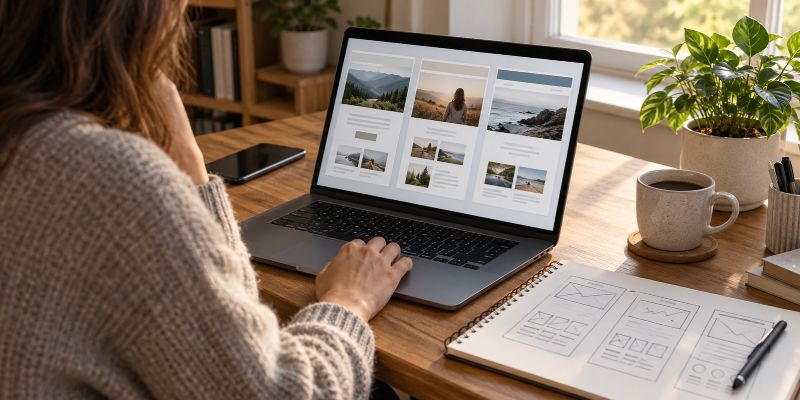
A Christian website builder is usually easier to start with, while WordPress gives you more control and flexibility over how your website works and grows. An all-in-one builder can handle much of the technical setup for you, but WordPress gives you greater freedom to choose your hosting, design, features, and tools. The better fit depends largely on how much convenience you want now versus how much control you may want later.
What Is the Main Difference Between a Website Builder and WordPress?
An all-in-one website builder combines most of what you need to create and run a website into one service. You normally choose a plan, select a design, add your pages and content, and manage the site through the builder’s own interface.
Hosting is generally part of the service, and the company handles much of the underlying technical work. You do not have to put all the pieces together yourself.
WordPress works differently. For this comparison, WordPress means the self-hosted WordPress software rather than WordPress.com. You choose a web host, install or use WordPress through that host, choose a theme, and add plugins when you need additional features.
That requires more decisions, but those decisions also give you more control.
Which Is Easier for a Beginner?
A website builder generally has the advantage when simplicity is the main concern.
The service is designed to keep most of the website-building process in one place. Hosting, updates, design tools, and many common features may already be included or managed for you. That can make it easier to get a basic Christian blog, church site, ministry website, or other simple site online without learning much about the technical side of running a website.
WordPress has a steeper learning curve because there are more moving parts. You may need to learn about hosting, themes, plugins, updates, backups, and other parts of maintaining the site.
None of those things makes WordPress unsuitable for a beginner. It simply means there is more to learn.
The tradeoff is important: the simplicity of a builder comes partly from limiting the number of decisions you have to make. WordPress gives you more decisions because it gives you more control over those decisions.
Which Gives You More Control?
WordPress generally gives you considerably more control over your website.
You can choose where the site is hosted, which theme it uses, which plugins you install, and how you want to add or change functionality. If your needs change, you have a large ecosystem of themes, plugins, services, and developers available to work with.
With an all-in-one builder, you are working inside the system that company provides. You can use the designs, features, integrations, and customization options the platform supports, but you cannot necessarily change parts of the system that the builder does not expose to you.
That may not matter at all for a simple website. If the builder already does everything you need, additional control has little immediate value.
The difference becomes more important when you want the website to do something the platform was not designed to do.
Is a Website Builder Cheaper Than WordPress?
You cannot assume that either approach will always be cheaper.
A website builder commonly charges a monthly or annual subscription. Different plans may include different features, storage limits, ecommerce tools, or other capabilities. Moving to a higher plan can increase the cost as the site’s needs grow.
The WordPress software itself is free, but running a WordPress website is not necessarily free. At minimum, a self-hosted site needs hosting and a domain name. You may also decide to pay for a premium theme, plugins, backup services, security tools, or professional help.
WordPress gives you more freedom to decide which services you pay for, but that also makes its total cost more variable.
Instead of comparing only the starting prices, look at what you will actually need to run the type of website you have in mind. A cheap starting plan is not necessarily cheaper over several years if you eventually have to upgrade it or purchase additional services.
Which Is More Flexible as Your Christian Website Grows?
This is where WordPress can have a substantial advantage.
You may begin with a small Christian blog and later decide to add resources, Bible studies, downloads, courses, memberships, ecommerce, or other features. WordPress can usually be extended without rebuilding the entire website on another platform.
A website builder can grow too, but its limits are determined by the platform. If the builder supports the feature you need, adding it may be simple. If it does not, your options can be limited.
That does not mean you should choose WordPress merely because you can imagine dozens of features you might someday add. Most new websites do not need complicated functionality.
It does mean you should consider the direction the site could realistically take. Choosing a platform is one of those early website decisions that can become inconvenient to undo after you have built a large amount of content.
What Maintenance Does WordPress Require?
The convenience of a website builder does not stop once the site is launched.
With an all-in-one builder, the company generally manages the platform itself. You are still responsible for your website and its content, but you usually do not have to manage the underlying software in the same way you would with WordPress.
With WordPress, you have more responsibility. Themes and plugins need updates. You need reliable backups. You should pay attention to security and make sure the different pieces of the site continue working together.
Some WordPress hosting services handle portions of this work, but WordPress still tends to require more involvement from the site owner.
For someone who wants to publish content without spending much time maintaining the software behind the site, that difference can be significant.
What Happens if You Outgrow the Platform?
This is worth thinking about before building the site rather than after it becomes a problem.
WordPress gives you the ability to move a self-hosted WordPress site between hosting companies while continuing to use WordPress. You are not tied permanently to the company that originally hosted the site.
An all-in-one builder is more closely tied to its own platform. Your content may be exportable to some degree, but the site’s design and platform-specific features may not transfer directly to another system.
Moving an established website from one platform to another can involve rebuilding parts of it, handling URLs and redirects, and checking that important content and features survived the move.
You do not need to plan every technical detail before choosing a platform. You should, however, consider how much freedom you want if your needs change later.
Website Builder vs WordPress: Pros and Cons at a Glance
If you are still weighing the two options, the main advantages and disadvantages come down to convenience versus control.
Pros of Using a Website Builder
- Easier to Get Started
Hosting, the site editor, templates, and many basic features are included in one service, so there are fewer separate pieces to set up. - Less Technical Maintenance
The platform provider handles much of the software, server maintenance, security, and other technical work behind the website. - Everything Is in One Place
You normally manage your website, hosting, design, and account through the same company instead of working with several different services. - Beginner-Friendly Editing
Website builders are generally designed for people who want to create pages visually without knowing how to code. - More Predictable Setup
Because the platform controls the system, you are less likely to run into problems caused by incompatible themes, plugins, or software updates.
Cons of Using a Website Builder
- Less Control
You can only use the features and customization options the platform makes available. - Less Flexibility as the Site Grows
If you eventually need a feature the builder does not support, you may have few options besides changing platforms. - You Are More Tied to One Company
Your hosting, site-building tools, and other features may all depend on the same provider. - Moving Away Can Be Difficult
Your content may be exportable, but the design and platform-specific features often cannot simply be transferred to another system. - Costs Can Increase With Your Needs
A simple plan may be inexpensive, but additional features or higher limits can require more expensive plans.
Pros of Using WordPress
- More Control Over Your Website
You can choose your hosting company, theme, plugins, and many of the services used to run the site. - Much Greater Flexibility
WordPress can be expanded as the website grows instead of limiting you to one company’s built-in feature set. - Large Selection of Themes and Plugins
You have many options for changing the design or adding functionality without rebuilding the website from scratch. - You Can Change Hosting Companies
A self-hosted WordPress website is not permanently tied to the company where you originally hosted it. - Better Suited to an Expanding Website
If a simple Christian blog eventually becomes a larger resource with downloads, courses, memberships, ecommerce, or other features, WordPress gives you more ways to expand.
Cons of Using WordPress
- There Is More to Learn
Hosting, themes, plugins, updates, backups, and other terminology can make WordPress feel more complicated at first. - You Have More Maintenance Responsibility
Someone needs to keep WordPress, themes, and plugins updated and make sure the site is backed up and secure. - Costs Are Less Predictable
WordPress itself is free, but hosting, premium themes, plugins, and other services can add to the total cost. - More Choices Can Make Setup Confusing
The freedom to choose your own tools also means deciding which hosting, theme, plugins, and services you actually need. - Problems May Involve More Than One Company
With separate hosting, themes, and plugins, troubleshooting can occasionally involve figuring out which part of the site is causing the problem.
Website Builder vs WordPress Comparison
| Feature | Website Builder | Self-Hosted WordPress |
|---|---|---|
| Ease of Setup | Usually easier | More to learn |
| Hosting | Usually included | Chosen separately |
| Maintenance | Mostly handled for you | More owner responsibility |
| Customization | Limited to the platform | Extensive |
| Plugins/Extensions | Platform dependent | Large plugin ecosystem |
| Control | Less | More |
| Moving the Site | Can be difficult | More portable between hosts |
| Long-Term Flexibility | Depends on the platform | Generally much greater |
| Best Fit | Simplicity and convenience | Control and room to grow |
Which One Should You Choose for a Christian Website?
A website builder makes sense when your priority is getting a relatively straightforward site online with as little technical management as possible. You are accepting some limits on control and flexibility in exchange for convenience.
WordPress makes sense when you are willing to learn more about running the site in exchange for greater control, flexibility, and room to expand it.
The Christian purpose of the website does not require one particular platform. A Christian blog, teaching site, church website, or ministry resource can be built successfully with either approach. The platform is a tool, and the important question is whether that tool can support what you are actually trying to build.
Before committing to either option, it helps to work through the broader factors involved in choosing a website platform, especially if you expect the site to grow beyond a basic blog or informational website.