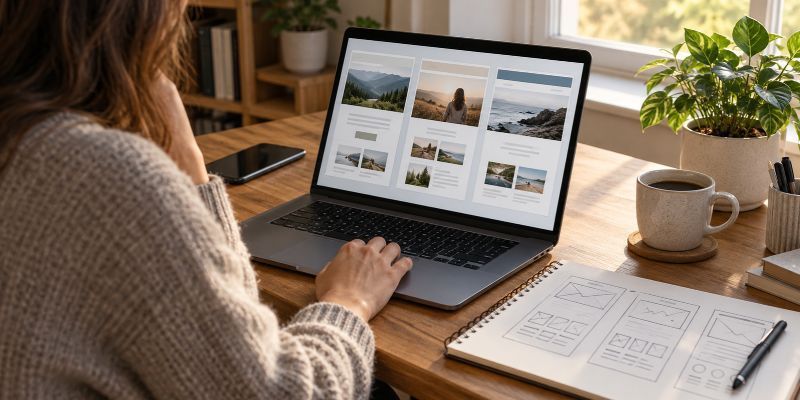
No, you do not need a website builder to create a website, and you do not need to know how to code. A website builder can make designing and publishing pages easier, but platforms such as WordPress already include tools for creating websites. Whether you need an additional builder depends on what you want to create, what your existing software can do, and how much technical work you want to handle.
What Does a Website Builder Actually Do?
A website builder provides an easier way to create website pages without writing the underlying code yourself.
Instead of programming a page from scratch, you work with templates, text, images, buttons, and other elements. You can usually see how the page will look as you make changes.
The confusing part is that people use the term website builder to describe different kinds of software.
Wix and Squarespace, for example, are all-in-one website-building platforms. They provide the editing tools and the hosting needed to publish your website.
Elementor is different. It is a visual page builder that works within WordPress. It provides additional design tools, but it does not replace WordPress or your hosting service.
Then there is WordPress itself, which already includes a block editor for creating pages and posts.
That means someone using WordPress can create a website without installing a separate page builder.
There is also a difference between a website builder and web hosting. Hosting makes your website accessible online. A builder helps you create it. Some companies provide both services together, while others offer them separately.
Understanding these differences can keep you from buying software you do not actually need.
Can You Build a Website Without a Separate Builder?
Yes, and WordPress provides a good example of how that works.
Suppose you want to create a Christian blog where you publish Bible studies, devotionals, and articles about Christian living.
You purchase hosting, install WordPress, and choose a theme that provides a suitable design for your website.
From there, you can create your main pages and start publishing articles using WordPress’s built-in block editor.
You can add headings, paragraphs, images, buttons, links, and other common elements without installing a separate page builder.
The theme provides much of the website’s appearance, while the editor allows you to create and arrange the content.
If you use a WordPress block theme, you can also access the Site Editor to customize areas such as the header, footer, navigation, and page templates.
You do not need Elementor just to create a home page, write an About page, or publish blog articles.
That does not mean WordPress requires no learning. You still need to understand the dashboard, themes, editing tools, and basic website management.
But you can learn those things without learning to code or purchasing an additional builder.
Other content management systems also provide themes and editing tools, although some are more complicated to use.
You can even build a website directly with code, but most beginners creating an ordinary blog or informational website have no reason to start there.
The important distinction is that building a website without coding does not automatically require a separate website builder.
When Would a Website Builder Be Useful?
A builder becomes useful when it solves a problem that your existing website tools cannot handle conveniently.
For example, you might prefer an all-in-one service because you do not want to install software or manage a separate hosting account.
With a service such as Wix or Squarespace, you can select a template, create your pages, and publish through the same platform.
That convenience may be worth paying for, particularly if you want a small informational website and have little interest in handling technical setup.
A separate visual builder can also be useful when you are working with WordPress but want greater control over specific page layouts.
Suppose you want a landing page with several custom sections, unusual arrangements of images and text, or design effects that are difficult to create with your current theme and editor.
A visual page builder might make that work easier.
However, the fact that a builder offers more design features does not mean you need those features.
If your website consists mainly of articles and ordinary informational pages, a suitable WordPress theme and the built-in editor may already provide everything necessary.
A builder is most valuable when you can identify what it will help you accomplish.
When Is a Website Builder Unnecessary?
A separate builder is unnecessary when your existing software can already create the website you want.
This is particularly relevant for beginners who install WordPress and then assume they need to purchase a premium theme, a page builder, and several plugins before they can start.
They may see tutorials featuring elaborate website designs and think those additional tools are essential.
But a website does not need an elaborate design system to function properly.
Consider a Christian teaching website with a home page, About page, contact page, and a growing collection of Bible study articles.
The main job of that website is to make the teaching material easy to find, read, and navigate.
A good theme can provide a consistent appearance. WordPress can manage the articles, categories, pages, and navigation.
If those tools already accomplish the job, installing another builder adds software without necessarily adding value.
That additional software may introduce new settings to learn, updates to manage, and possible subscription costs.
There is also a difference between needing another tool and simply not knowing how to use the one you already have.
For example, if you cannot find a way to change your website’s header, the first step should be checking what your theme supports.
With a block theme, you may be able to make the change directly in the Site Editor.
Purchasing a page builder before investigating the existing tools could leave you paying for functionality you already had.
What About Hiring Someone to Build the Website?
You can also create a website without using a builder yourself by paying someone to handle the setup and design.
That does not mean the person must code an entire website from scratch.
A professional may use WordPress, customize an existing theme, or work with a website-building platform.
For example, someone could set up your WordPress website, create its main pages, configure the navigation, and show you how to publish articles using the block editor.
You would not have to do the initial building work, but you could still manage the content afterward.
Before hiring someone, find out which tools they plan to use and whether you will be able to make routine changes yourself.
You do not want to discover later that adding a page or changing a paragraph requires paying the developer again.
The choice of who builds the website and the choice of which software it uses are two separate decisions.
What Work Will You Still Have to Do?
One reason website builders appeal to beginners is the promise of simplicity.
That simplicity can be real, especially when the platform handles hosting, software updates, and other technical responsibilities.
But a builder does not eliminate the work of maintaining the website itself.
You still need to create the content, decide how to organize it, correct mistakes, update outdated information, and make sure visitors can find what they need.
For a Christian blog, that might mean preparing Bible studies, checking Scripture references, organizing articles, and maintaining the pages that explain what the website offers.
The platform cannot do all that work for you.
There is also a difference between maintaining content and maintaining the software.
With an all-in-one hosted builder, the provider generally takes care of much of the technical platform.
With self-hosted WordPress, you or your service provider must handle responsibilities such as software updates, backups, and security.
Some WordPress hosting companies provide managed services that reduce those responsibilities.
So while a hosted builder may save technical work, it does not necessarily save much of the time you will spend creating and managing your content.
That distinction is worth understanding before paying for a builder because you expect it to make website ownership effortless.
How Do You Know Whether You Need One?
Before you purchase a builder, try answering one practical question:
What do I need to create that my current tools cannot already do?
If you are planning to use WordPress, you can test this without spending money on another page builder.
Choose a suitable theme and use the built-in editor to create a sample home page.
Add a heading, introductory text, an image, and a few sections explaining what the website offers.
Then create an About page and a sample blog post.
If you are using a block theme, explore the Site Editor to see which parts of the overall design you can customize.
You may find that you can build the website you have in mind without installing anything else.
If something is missing, identify exactly what it is.
Do you need a particular layout? Are you having trouble changing the design? Does your website require a feature your current platform does not support?
Once you know the problem, you can determine whether a page builder will solve it.
On the other hand, if you have not chosen a platform yet and want a service that combines design tools with hosting and technical management, an all-in-one builder may be worth considering from the beginning.
The cost also matters. A builder that saves you time may justify its subscription, while one that duplicates tools you already have may simply become another recurring expense.
You should also consider whether you will be comfortable staying with the platform. Some proprietary builders make it difficult to transfer the complete design and functionality of a website elsewhere.
That is not necessarily a reason to avoid them, but it is a reason to understand the commitment before building a large website.
Do You Need a Builder for a Christian Blog or Ministry Website?
For a Christian website built mainly around written content, a separate page builder often is not necessary.
WordPress can provide the tools needed to publish Bible studies, devotionals, teaching articles, and other resources.
A suitable theme and the block editor may be enough to create a useful, well-organized website without adding another design system.
For a small church or ministry that wants a simple website and prefers not to manage technical setup, an all-in-one builder may be a practical alternative.
Neither approach is automatically better simply because the website is Christian.
The important thing is to choose software that fits the work you are actually doing.
If you are still deciding which overall system to use, the guide to choosing a website platform covers that broader decision.
You do not have to purchase a builder just because you are new to websites, and you do not have to avoid one if it genuinely makes the work easier.
Before spending money, find out what your existing platform already includes. Use those tools first, and add something else when you can identify a specific reason you need it.